Damage reports for Swiss property managers of every size

The ticket
that works with you.

Email replies land in the right chat, the AI reads quotes, and Rently knows whether the appliance is still under warranty.

✓ Both demos without sign-up, nothing is saved · Account: free forever up to 3 apartments, no credit card, no sales call
Also as an app: App Store Google Play
~2 min
from damage to complete report
0 phone calls
to coordinate appointments
< 5 Min.
Set-up without IT knowledge

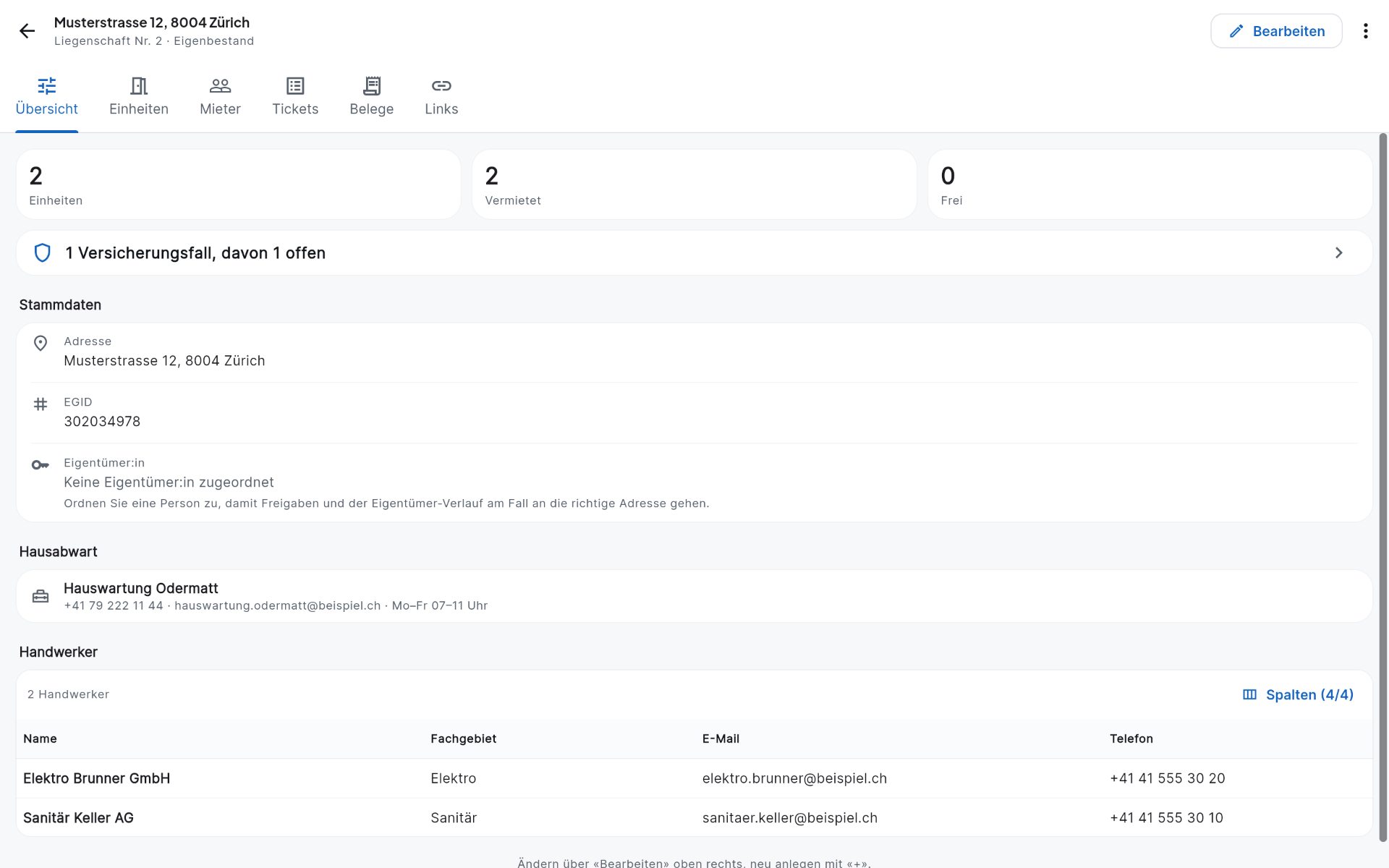
ERP or Excel sheet: Rently replaces nothing. It adds the damage reporting channel to your processes. You import properties and tenants via CSV, from GaraioREM just as from your spreadsheet. And if you start from scratch, you enter them by hand in a few minutes.

What Rently does differently

What works for you inside the ticket

After the report, the real work begins: asking follow-up questions, calling in a contractor, comparing quotes, filing costs. Rently keeps it all together on the case.

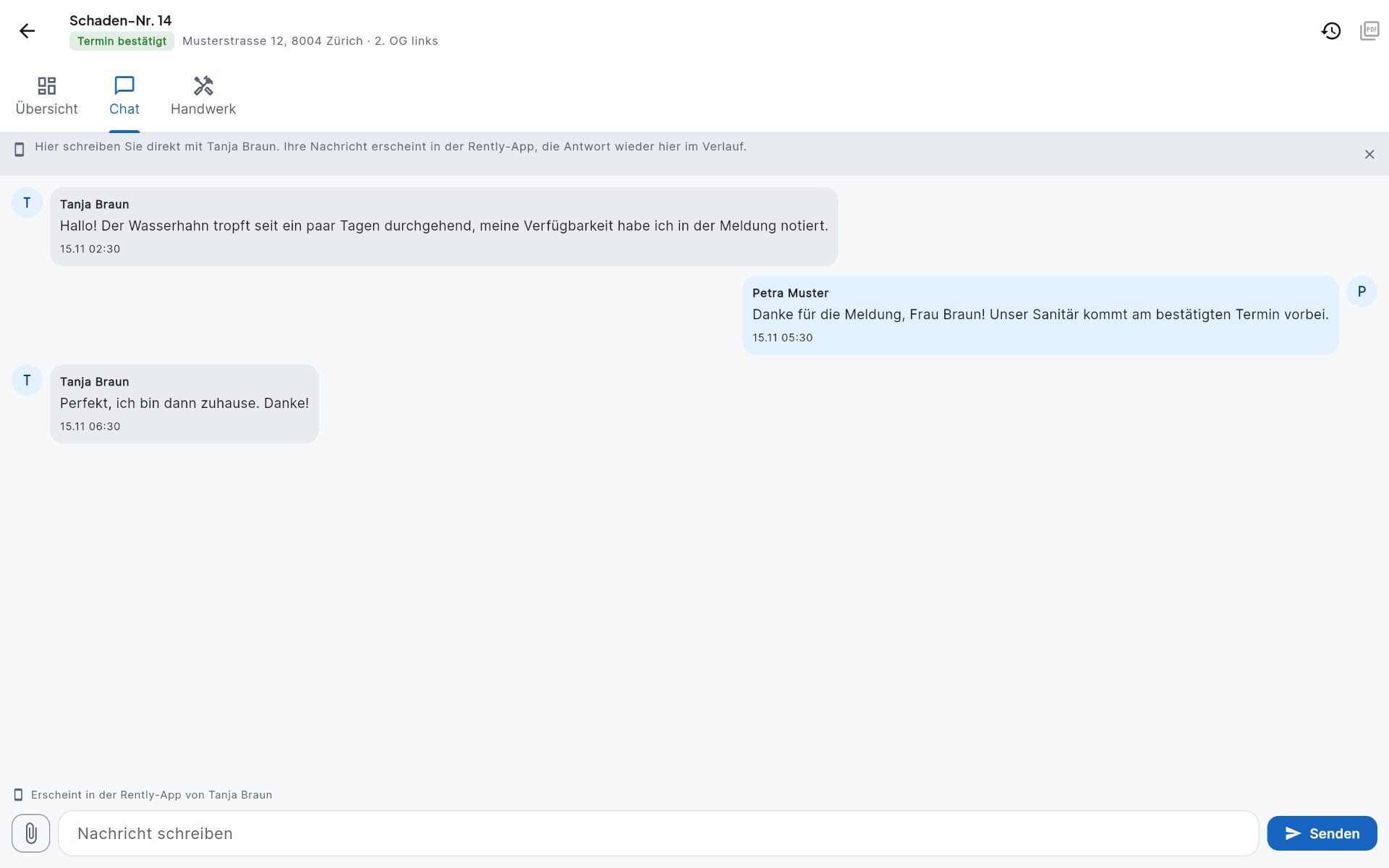
Screenshot: damage chat between tenant and management company in Rently
💬

One ticket, three chats

Every ticket has separate threads. That keeps it clear who has seen what, and prices or internal assessments never reach the tenant.

  • Tenant chat for queries, photos and appointments
  • A separate thread per contractor, even with several quotes
  • Internal notes and handovers, visible only to your team
✉️

The email goes out, the reply lands in the chat

Tenants and contractors need no account. Your message leaves Rently as an ordinary email, and anyone who replies writes straight into the right chat on the ticket.

  • Replies and their attachments appear in the thread automatically
  • Work order, quote request and appointment proposal as templates
  • Optionally via your own mail server and sender address
More about communicating with tradespeople
✨

AI features that you switch on yourself

The AI suggests, you decide. Nothing is applied without your click, and each feature can be switched on and off individually.

  • Reads the amount, date and validity from PDF quotes
  • Spots proposed appointments in messages, even vague ones
  • Turns forwarded emails into a draft ticket
More about AI in Rently
🧾

Search documents, spot warranties

Fridge broken? The ticket shows that it was replaced in this apartment only recently and how long the warranty runs. You check that before calling in a contractor.

  • All quotes and invoices searchable in one place
  • Filters by contractor, appliance, property and apartment
  • New appliances with warranty date, with a note right in the ticket
More about documents and warranties

Included as a matter of course

The basics are covered

Report form, appointments, tradespeople and emergencies: what you expect from damage reporting is there from day one.

📸

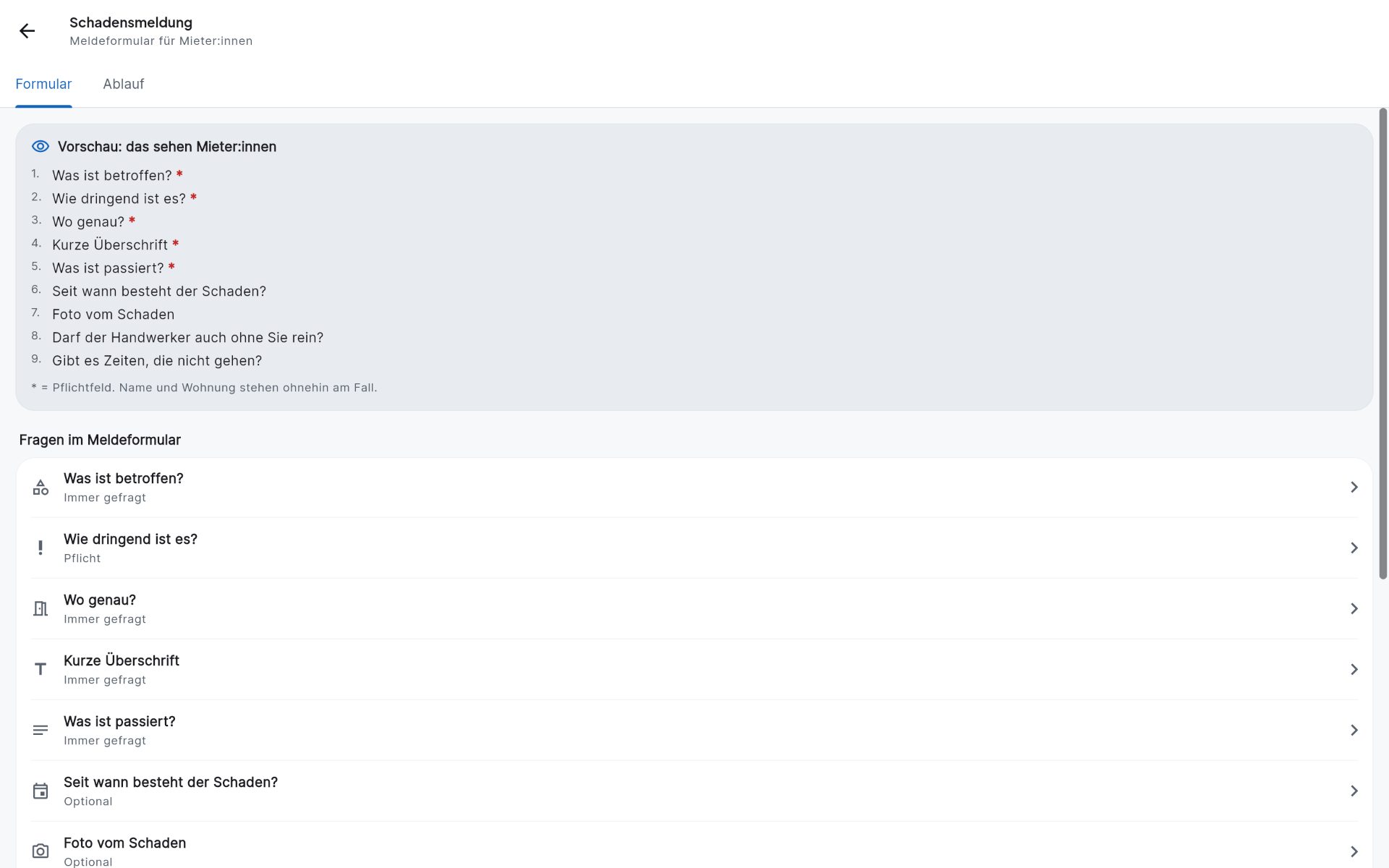
All the details in the damage report itself

Tenants choose a category, take a photo and state the urgency. You see at once what it is about. No follow-up questions, no phone notes.

🔗

No app required for tenants

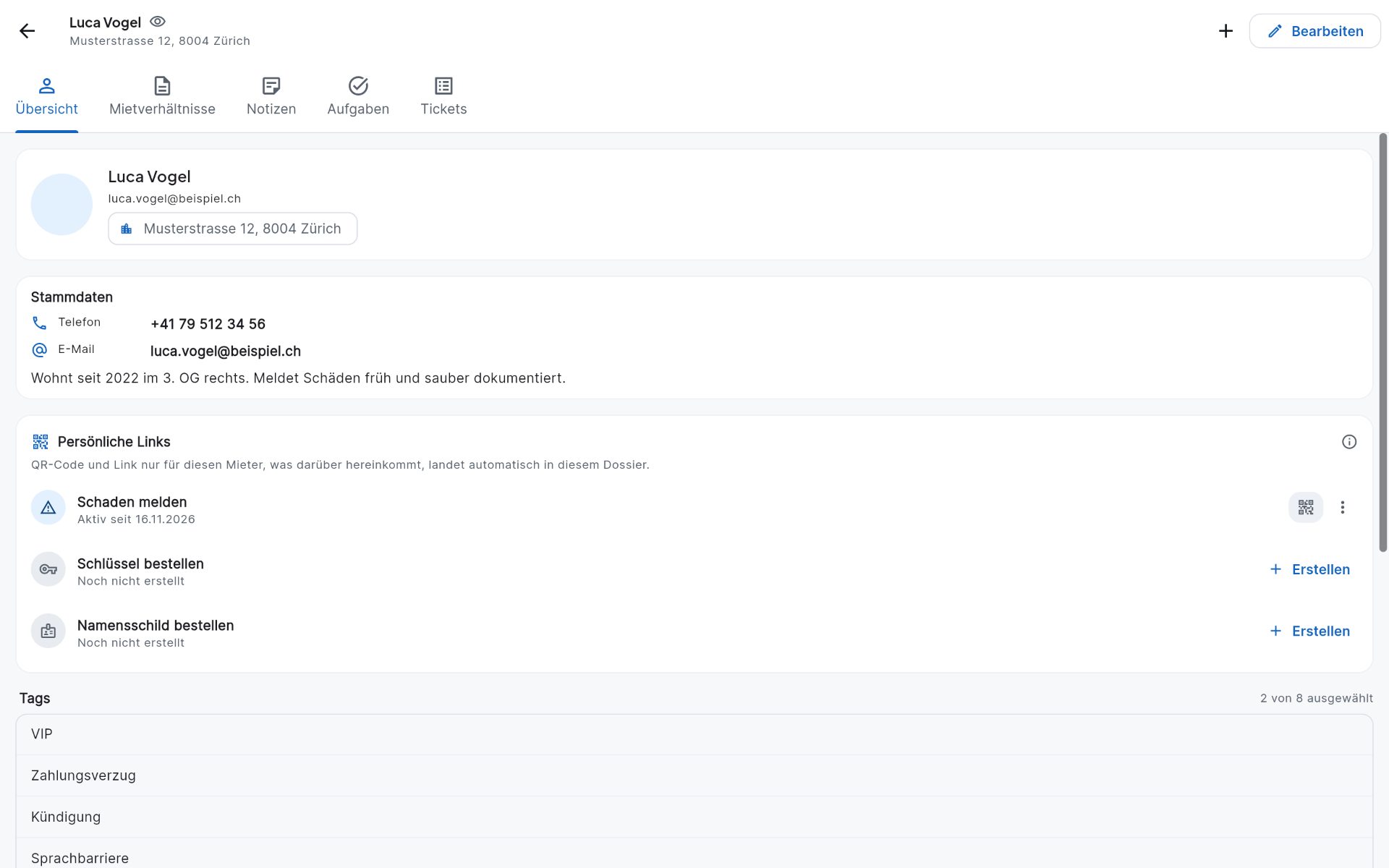
Tenants report via link or QR code in the browser, with nothing to install. Optionally with a code per apartment, so every report is automatically assigned to the right person. More about damage reports by QR code

🛠️

To the tradesperson in one click

Send the damage report with photos and details straight from Rently to the tradesperson. For each category, the right company is suggested automatically.

📅

Appointments without phone calls

You propose time slots, tenants confirm with a tap. The appointment lands automatically in both calendars.

🔧

Self-help filters out trivial cases

Before sending, Rently shows tenants matching checklists: fuse, sink trap, bleeding the radiators. Many cases are solved before they reach you.

🚨

Emergencies dispatched automatically

If a tenant confirms an emergency, Rently immediately dispatches a suitable specialist company, even in the evening and at weekends. Next morning you find the summary in the dashboard.

For property managers

Your tenants notice: someone here takes care.

Your name on the report form, your categories, your portfolio. Rently adapts to your management company, not the other way round.

Live demo: how reports come in

It’s that simple

Up and running in 3 steps

Rently is set up in a few minutes, no IT knowledge required.

1

Create an account

Create a free management account, right in the browser or with the app from the App Store and Google Play.

2

Set up property & tenants

Create the property and pass the reporting link to your tenants.

3

Handle the damage

From now on, reports arrive complete in the dashboard. There you coordinate everything else, from the tradesperson to the appointment.

Pricing

Transparent. No surprises.

All prices in CHF per month. We are currently not registered for VAT, so no VAT is added. Tenants always use Rently for free. The management company chooses the right plan.

Privat
25 CHF/mo.
Final price, no VAT

  • Up to 20 apartments
  • Up to 30 tenants
  • Up to 20 damage reports/month
  • Unlimited properties
  • All features included
Get started
Professional
119 CHF/mo.
Final price, no VAT

  • Up to 150 apartments
  • Up to 250 tenants
  • Up to 150 damage reports/month
  • Unlimited properties
  • All features included
Get started
For larger portfolios
Enterprise & Enterprise Plus
Enterprise · 299 CHF/mo. Up to 500 apartments, 800 tenants, 500 damage reports/month Enterprise Plus · 599 CHF/mo. Up to 1500 apartments, 2500 tenants, 1500 damage reports/month
Choose plan
For private landlords
Rently Free: free forever
Up to 3 apartments, 5 tenants & 5 damage reports/month · all features · no time limit, no credit card
Start for free
Included in every plan
🔄
Free updates
New features automatically, at no extra cost
💾
Continuous backups
Automatic backups, daily and hands-free
💻
Web & cross-device
Browser, iOS and Android with the same account
🇨🇭
Data hosting in Switzerland
Stored in the Zurich data centre
🔒
State-of-the-art encryption
TLS in transit, AES-256 at rest

With Rently Free you start free forever and only upgrade when your business grows. Tenants always use Rently for free, with no ads and no in-app purchases. For comparison: just ten damage reports by phone quickly add up to two or three hours of calls and follow-ups a month. Privat costs CHF 25.

Questions & answers

Frequently asked

If your question isn’t here, just write to us.

Is Rently free?
With Rently Free you manage up to 3 apartments with up to 5 tenants and 5 damage reports a month free forever, with no time limit, no credit card and all features. For more apartments there are the Privat, Basic, Professional, Enterprise and Enterprise Plus plans (CHF 25, 39, 119, 299 and 599 a month); they differ only in the number of apartments, tenants and damage reports per month, never in features. The tenant app is always completely free for your tenants, with no ads and no in-app purchases.
What happens if I get more damage reports than my plan allows?
Every plan includes a monthly quota of damage reports: 5 on Free, 20 on Privat, 60 on Basic, 150 on Professional, 500 on Enterprise and 1500 on Enterprise Plus. Reports above the quota are still received and confirmed to your tenants. They are just locked in the app until you switch to the right plan. Nothing is lost, and the quota resets every month.
How do I invite my tenants?
You don’t have to invite anyone. Your reporting link works without it: tenants report damage directly in the browser. If you want to assign tenants permanently, you can: after creating a property you get a link or a 6-digit code to send by email or letter. Invited tenants are automatically linked to the right apartment and see the status of their reports.
Can I use Rently with several properties?
Yes. In the dashboard you manage as many properties as you like, invite staff and see all reports filtered by property.
Does Rently work in the browser too?
Yes. Besides iOS and Android there is a full web app that lets you use Rently right in the browser, with nothing to install.
Does Rently work alongside my existing ERP/CRM?
Yes. Rently does not replace your property management software; it adds a professional channel for damage reports and tenant communication. You bring in tenants, properties and units via CSV import. This works with any ERP/CRM that offers a CSV export (e.g. GaraioREM). For Rimo R5 and ImmoTop2 there is also an automatic import that keeps your portfolio up to date on a schedule.
Do tradespeople and tenants need an account to reply?
No. Messages from Rently go out as ordinary emails. If the tenant or the contractor replies, the reply and its attachments land automatically in the right chat on the ticket. Anyone who wishes can use the app as well.
What does the AI do in Rently, and what happens to the data?
The AI extracts data from PDF quotes, spots proposed appointments in messages and creates draft tickets from forwarded emails. It only suggests; nothing is applied without your click. The AI features are optional and switched off by default. When they are switched on, the relevant content is processed by Google Gemini in Google Cloud, Frankfurt region.
How secure is my data?
Your data is in Switzerland: database, files and login with Supabase in the Zurich data centre, the server logic with Google Cloud, also in Zurich. It is encrypted with TLS in transit and AES-256 at rest, and backed up daily. Each property manager sees only their own data. Details in the privacy policy.
What if the damage is urgent, at night or at the weekend?
For acute emergencies (e.g. burst pipe, fire, power outage), the rule still applies: call the emergency service. Rently supports communication around the damage but does not replace a 24/7 emergency service.

Ready to modernise your property management?

Create a free account now: ready in under 5 minutes, free forever up to 3 apartments.